

Overview: When to use the Fastlane integration
This guide is for teams that already use Fastlane to build Android or iOS apps. If your mobile builds are defined as Fastlane lanes, the QA Wolf Fastlane plugin lets you upload build artifacts and trigger test runs within your existing mobile automation. This is the recommended option for mobile teams that use Fastlane today. If you do not use Fastlane, use the QA Wolf CI SDK instead. QA Wolf does not set up Fastlane or create build lanes—this guide assumes Fastlane is already installed and producing a mobile build artifact.Before configuring the Fastlane integration, make sure you have the following in place:
- A working Fastlane setup for your Android or iOS app
- A Fastlane lane that produces a mobile build artifact (APK, AAB, or IPA)
- A QA Wolf API key stored as a secret in your CI environment
- Artifact naming conventions are defined for your environments
Overview: How the Fastlane integration works
Overview: How the Fastlane integration works
The Fastlane integration uses a QA Wolf Fastlane plugin to perform two actions:
You can upload builds without triggering runs, which is useful during initial setup or validation.The artifact name you provide is used to associate the build with the correct environment. QA Wolf automatically applies the file extension.
How to: Install & configure Fastlane for QA Wolf
How to: Install & configure Fastlane for QA Wolf
Add the QA Wolf Fastlane plugin to your project if it is not already installed. This is typically done in your Fastfile or plugin configuration, depending on how your project manages Fastlane plugins. Follow the instructions on the
README to install.To find the QAWOLF_API_KEY:
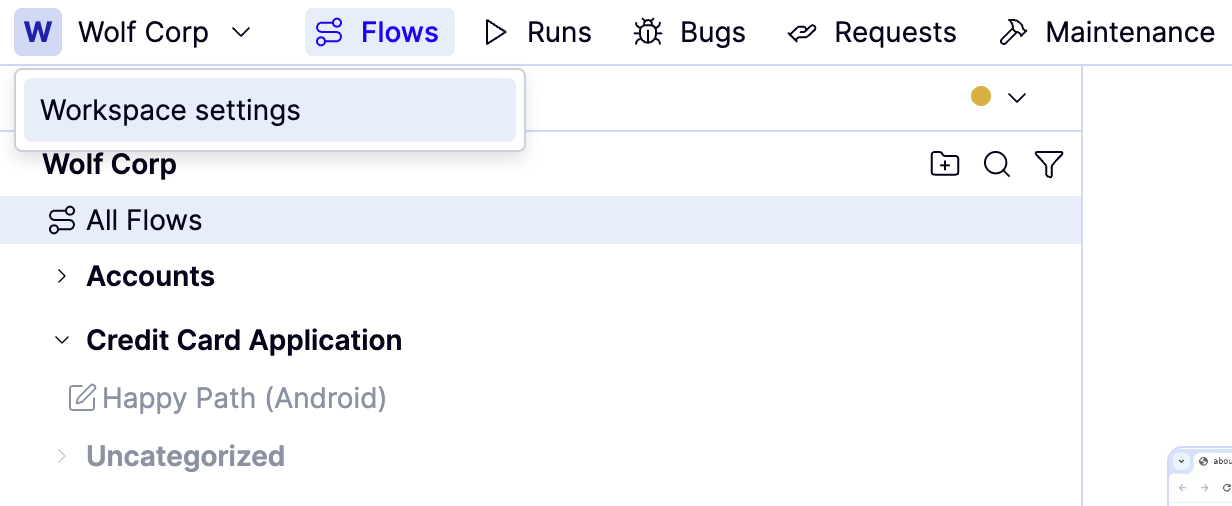
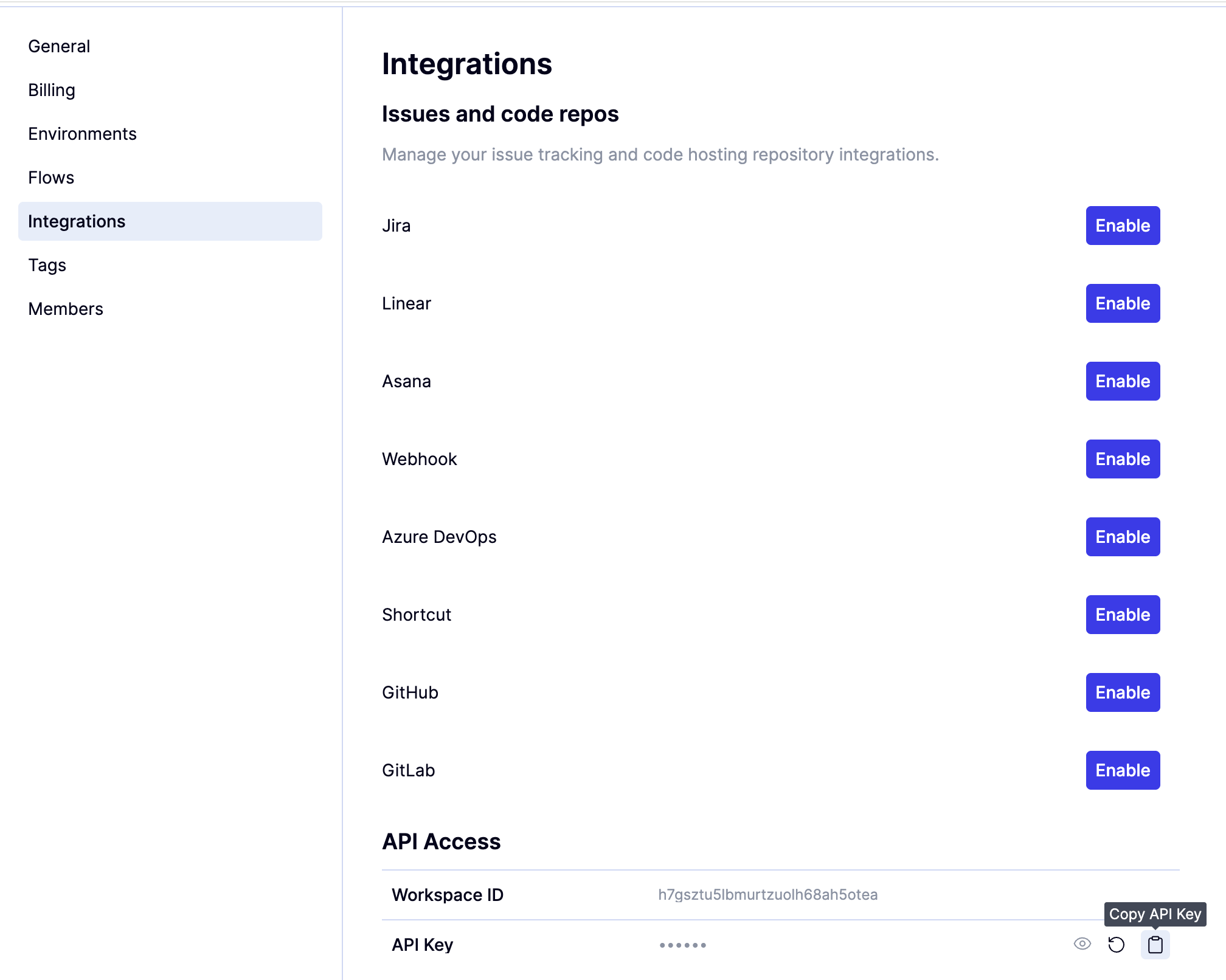
How to: Upload a mobile build artifact
How to: Upload a mobile build artifact
Once your Fastlane lane produces a build artifact, you can upload it to QA Wolf.
Example:
How to: Trigger a test run
How to: Trigger a test run
After uploading a build artifact, you can notify QA Wolf that a new deployment is ready for testing.
If mobile triggers have not yet been enabled, this step will complete without starting a test run.
Example:
How to: Verify the integration
How to: Verify the integration
To verify the integration:
If no run appears, the most common cause is a missing or incomplete QA Wolf platform configuration.
Overview: Troubleshooting and common issues
Overview: Troubleshooting and common issues
- Artifact uploads succeed, but no runs start Mobile triggers may not be enabled yet. Contact QA Wolf to complete platform configuration.
- Artifact not found during test execution Verify the artifact basename matches the expected naming conventions.
- Authentication errors Confirm QAWOLF_API_KEY is set correctly in your CI environment.
- Incorrect environment used Verify the environment key passed to notify_deploy_qawolf matches the configured value.