

General
Who will we be working with from QA Wolf?
Who will we be working with from QA Wolf?
Every customer gets a dedicated team of Wolves to make sure that they’re successful:
- Account Executive. Your AE will guide you through contracting, security reviews, and any other internal procedures your company requires.
- Customer Success Manager. Strategic owner on QA Wolf’s side for our partnership, helping ensure we are aligned on your goals and helping you get the most out of our service.
- QA Lead. Primary point of contact for technical implementation, including your test plan and implementation and testing of new features.
- QA Team. Responsible for implementing tests, investigating failures, maintaining tests, and reporting bugs.
Implementation
In what order does QA Wolf build tests?
In what order does QA Wolf build tests?
Unless there are specific high-priority tests that need to be done first, we generally start with the most complex flows. These take longer to build and often require more collaboration with your team, so tackling them early helps speed up the rest of the process.Test creation isn’t linear — we don’t build one test after another in sequence. Because we focus on the hardest flows first, your suite will come together unevenly at first and then accelerate as simpler tests are added.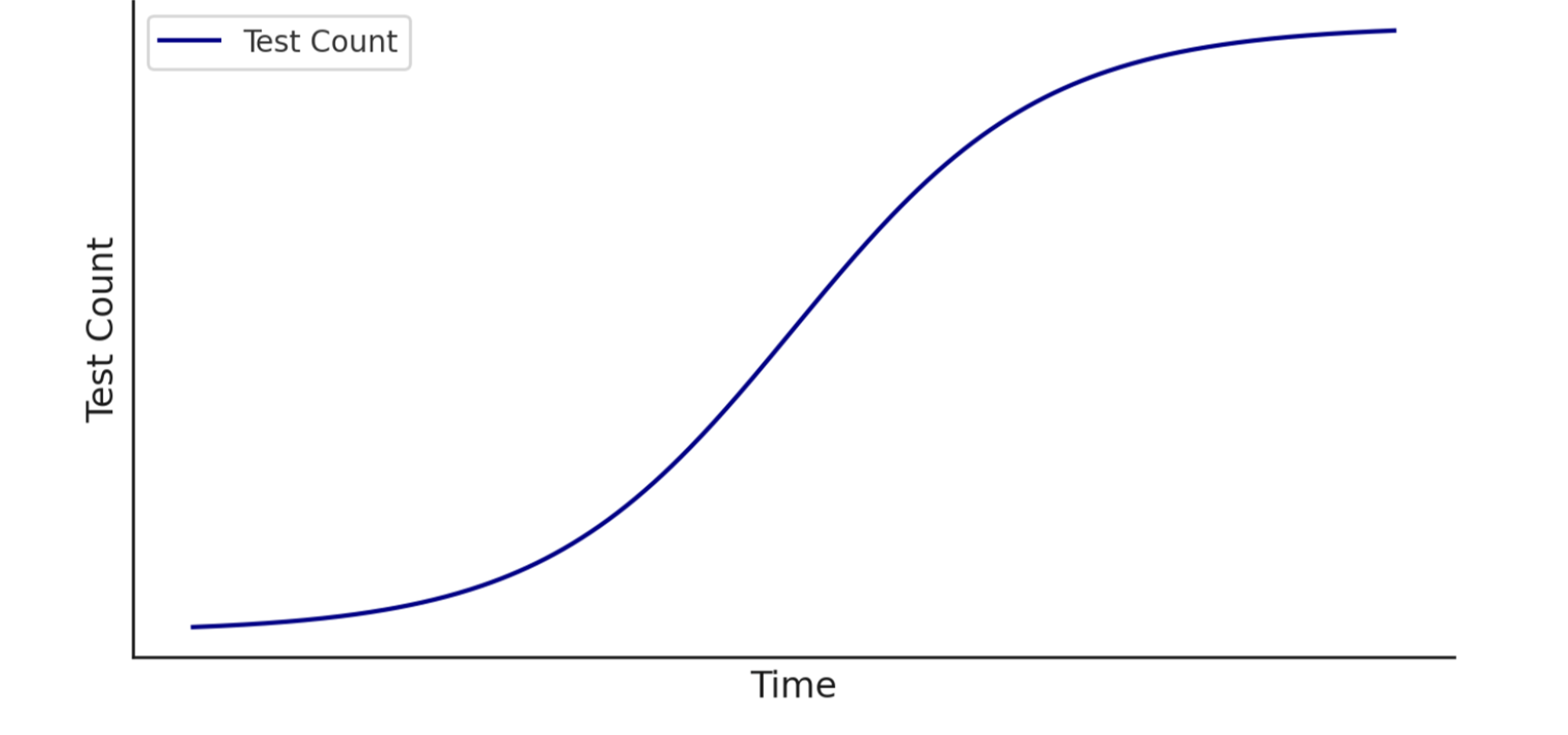
How can I monitor QA Wolf’s progress building tests?
How can I monitor QA Wolf’s progress building tests?
To see how many flows your team has built for you:
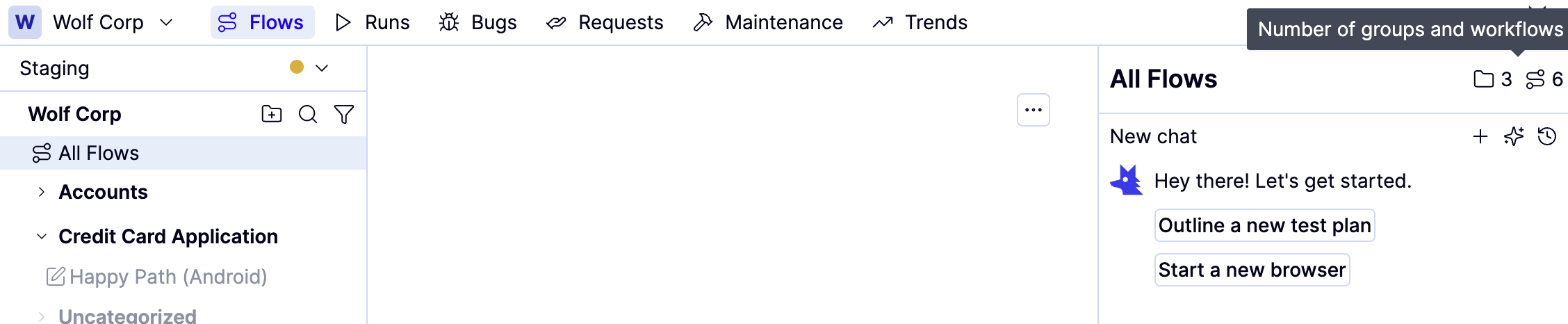
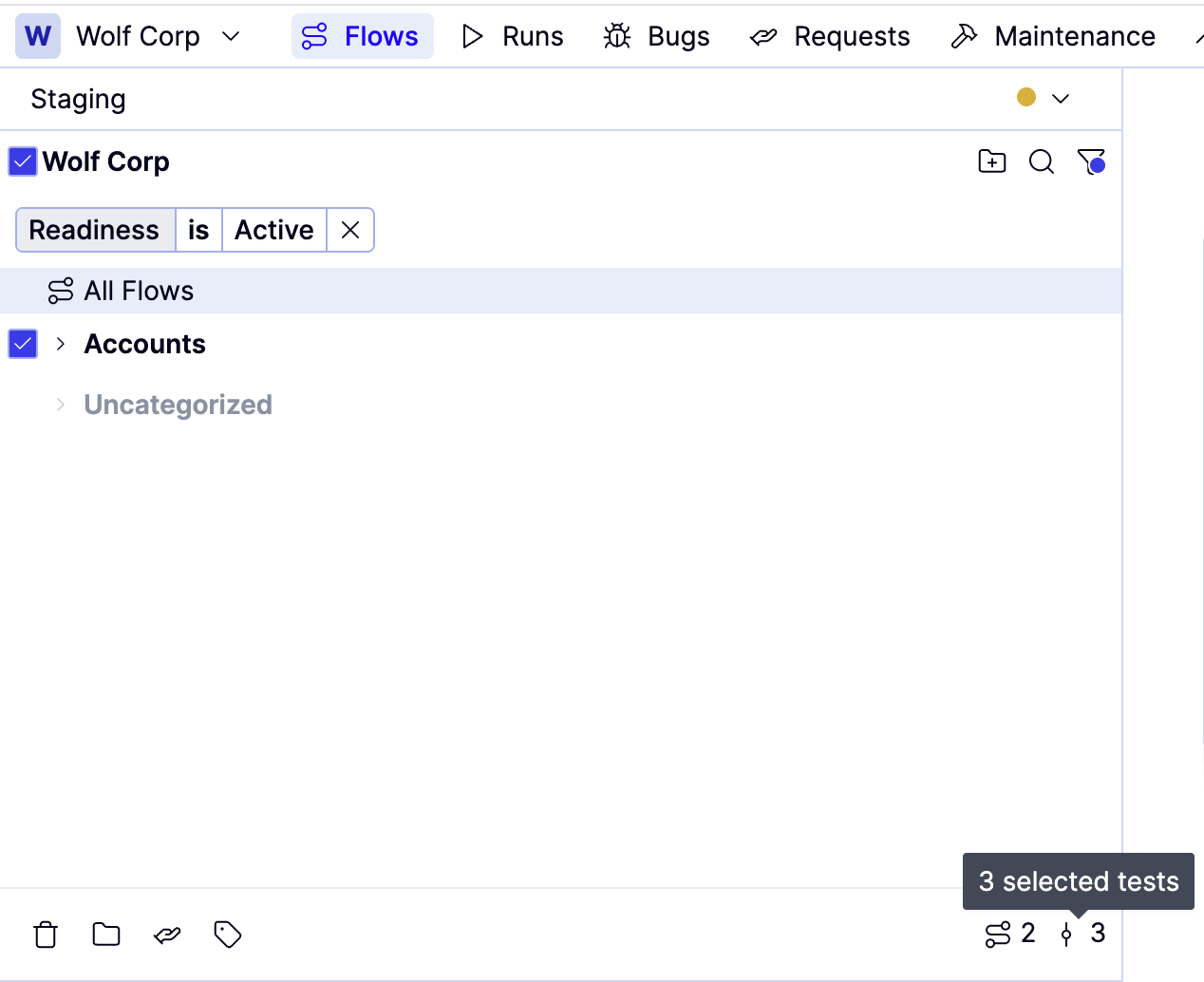
To count the number of Active flows your team has built for you:
When will our tests start running?
When will our tests start running?
Tests start running as soon as they’re built, and our goal is to deliver value fast — beginning with your most business-critical flows.To keep things moving:
- Make sure your team is available for the Product Tour meeting.
- Approve the coverage outline as soon as it’s ready.
What happens when a test fails?
What happens when a test fails?
When tests fail, a QA Wolf engineer investigates the issue and determines whether it is a bug in the application or the test.If there’s a bug in the application, we will file a bug report through your messaging system (e.g., Slack, Teams) and issue tracker (e.g., Jira, Linear).If there’s a problem with the test, it can usually be resolved on the fly. However, some tests will need to be quarantined for more substantial maintenance work.You can monitor the status of failed tests in the Runs tab
How can we prevent planned application changes from blocking a release?
How can we prevent planned application changes from blocking a release?
One of the most common release blockers is a flow that requires maintenance before it can proceed. Most maintenance is simple and happens immediately, but sometimes a flow requires a more comprehensive update. When that happens, the affected flows are disabled and placed in maintenance mode until they can be fixed.If you’re planning changes that will affect more than a few pages or significantly alter the DOM, let your QA Lead know ahead of time. They can usually update or refactor the flows in advance so runs stay smooth.
How does QA Wolf handle flaky tests?
How does QA Wolf handle flaky tests?
As a customer, you’ll never have to deal with flaky tests, which are tests that fail one or more times before eventually passing. Since flaky tests create noise that would otherwise slow your release velocity, our dedicated QA team will handle everything and ensure you see only real, human-verified bugs. That’s our Zero Flake Guarantee.To keep things moving as quickly as possible, any test that fails is automatically re-run. That’s because anything from a simple network hiccup to a slow email server could cause a flake. After multiple consecutive failures, a human steps in to investigate the root cause.
Technical
How often will our test suite run?
How often will our test suite run?
By default, your suite will run once a day, which is where most companies start. As their deployment processes mature, they increase testing frequency.You can ask your QA Lead to increase or decrease your test runs to best fit your process.Unlimited test runs are included in your contract so we encourage running your suite as frequently as it makes sense for your team and process.