Completion checklist
In the Teams Admin Center: Teams policies > Join external shared channels to On Users > External Access > Ensure QA Wolf is not blockedIn the Microsoft Entra admin center (as a Security Administrator): Add QA Wolf’s tenant ID -
3d41cc11-5772-457c-aad2-16b3924b22d0 Verify access settings do not restrict access to or from QA Wolf, or adjust accordingly Share your Microsoft Entra tenant ID with QA WolfEnable shared channels in Teams
Shared channels are enabled by default in Teams.
1
In the Microsoft Teams admin center, expand Teams in the left navigation bar and choose Teams policies.
2
Click the policy you want to confirm or change.
3
Under Shared channels settings, turn on Join external shared channels to allow collaboration with other orgs.
4
Click Apply to save your changes.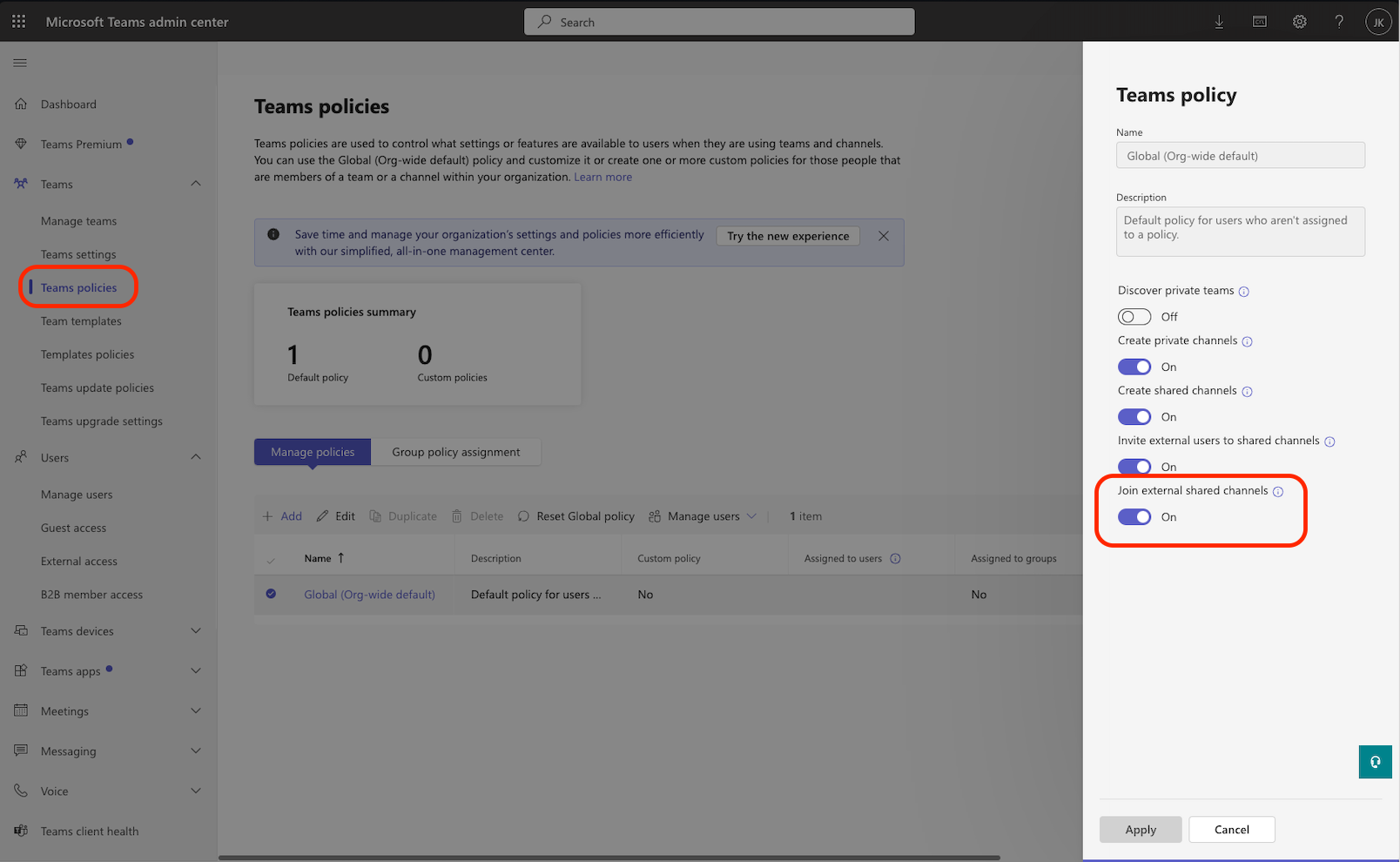
Enable external access
You must enable external access so QA Wolf team members can join your Teams meetings and your team can see QA Wolf’s presence status (online/offline/away) in shared channels.1
In the Teams admin center, expand Users in the left navigation bar and choose External access.
2
Choose the appropriate option for allowing Teams and Skype for Business users in external organizations.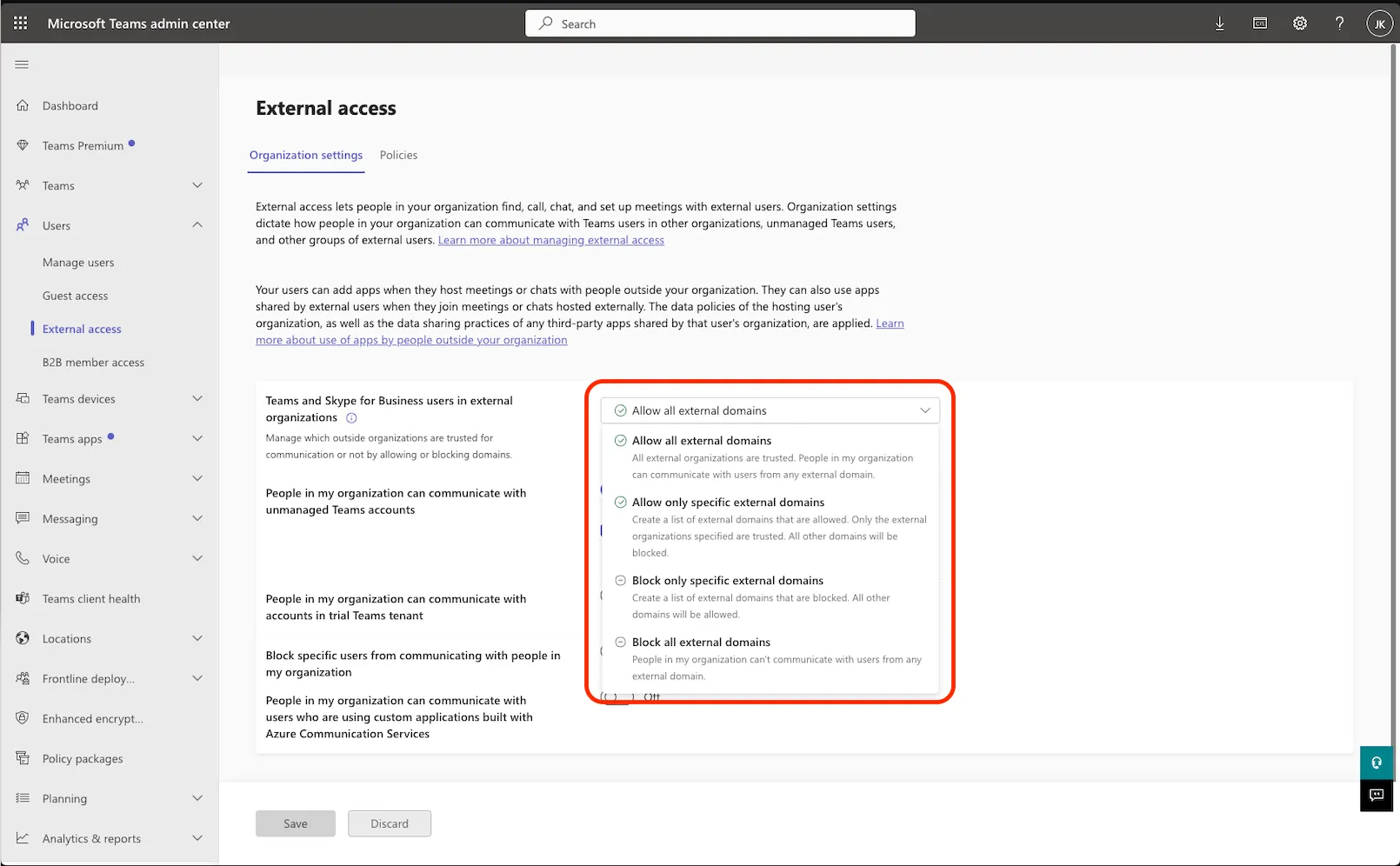
Enable cross-tenant access in Microsoft Entra
To use a shared channel with QA Wolf, you must allow our Microsoft Entra tenant by adding QA Wolf as an allowed organization using our Microsoft Entra tenant ID.1
As a Security Administrator, sign in to the Microsoft Entra admin center.
2
Choose External Identities from the left navigation bar, then choose Cross-tenant access settings.
3
On the Organizational settings tab, click Add organization.
4
In the Add Organization drawer on the right, type QA Wolf’s tenant ID:
3d41cc11-5772-457c-aad2-16b3924b22d0 and click Add at the bottom.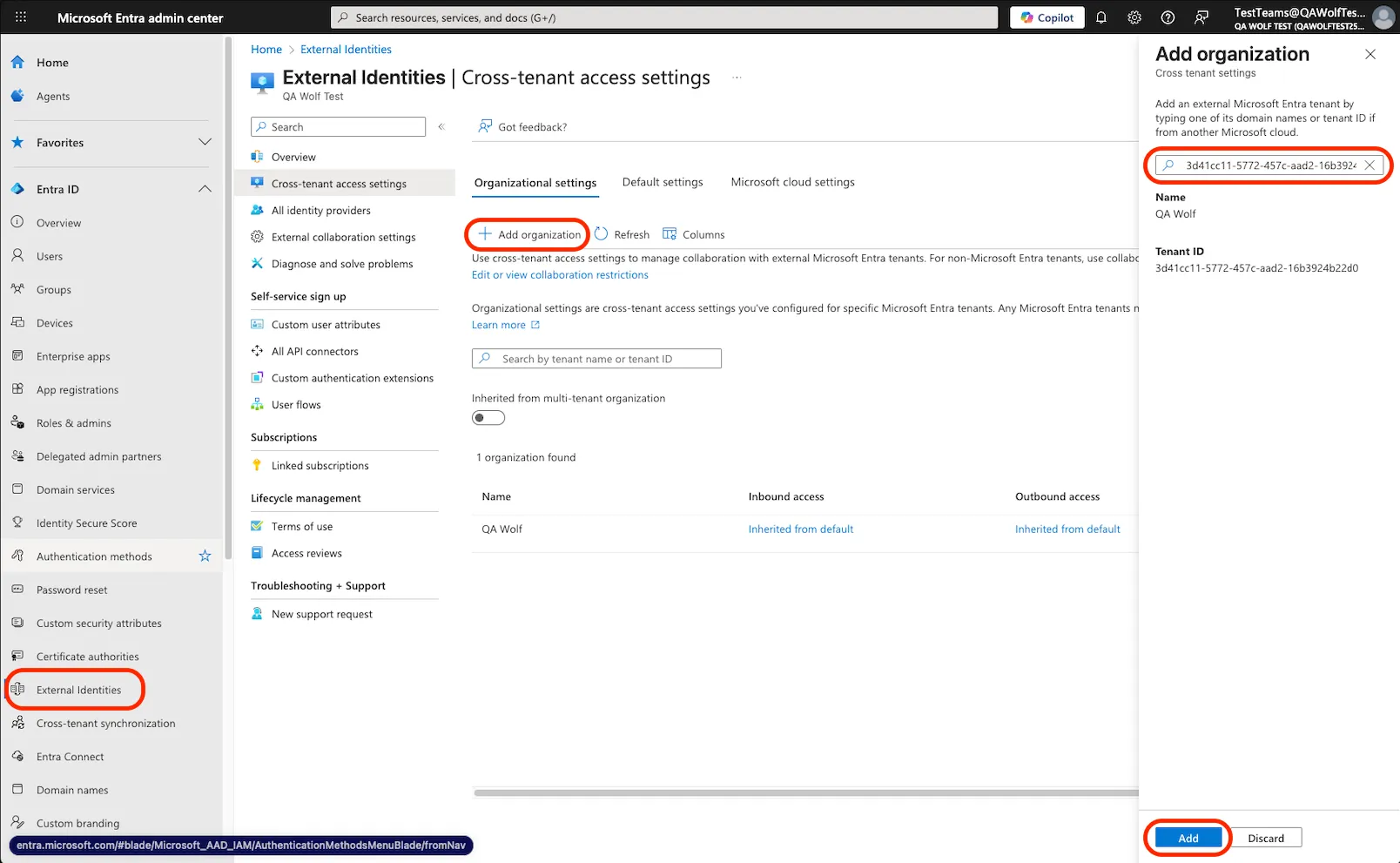
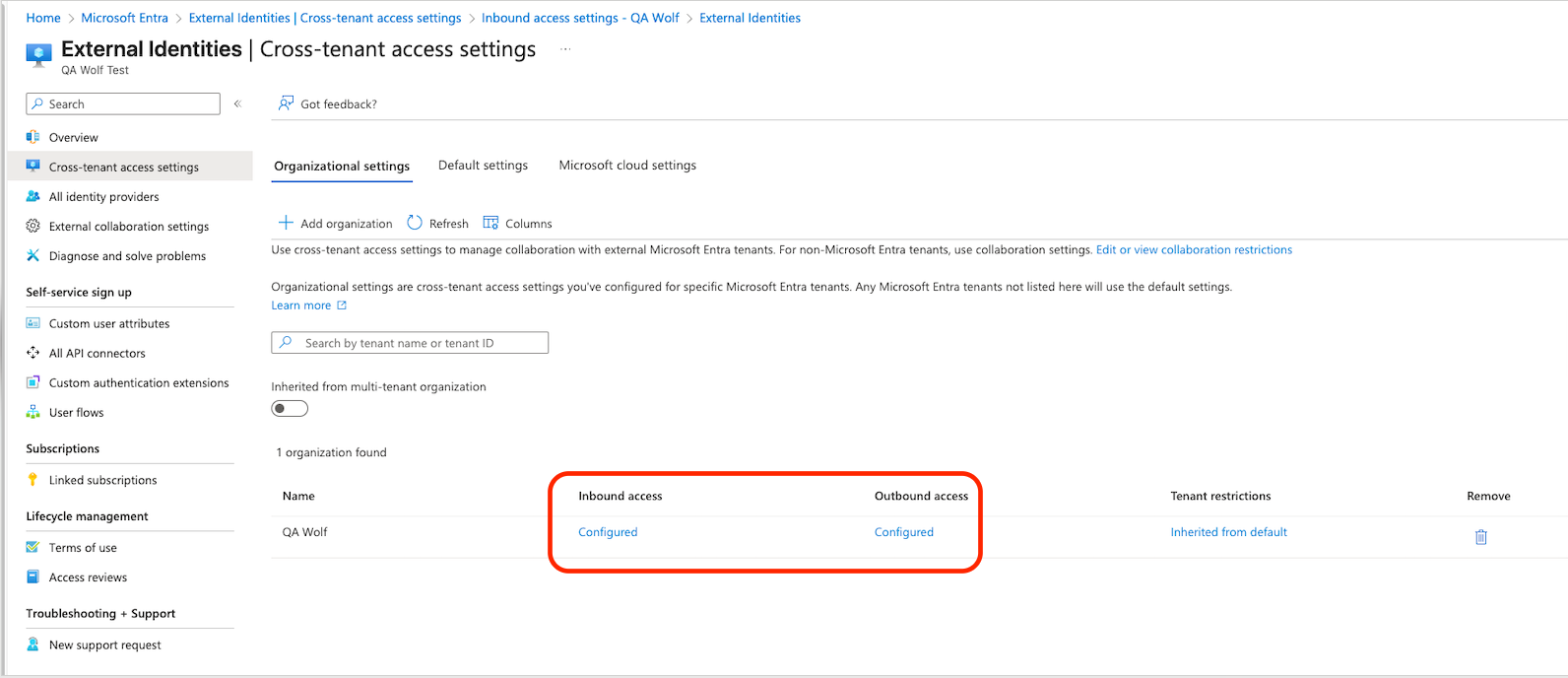
Check access
1
Click on the Configured link underneath Inbound access or Outbound access.
2
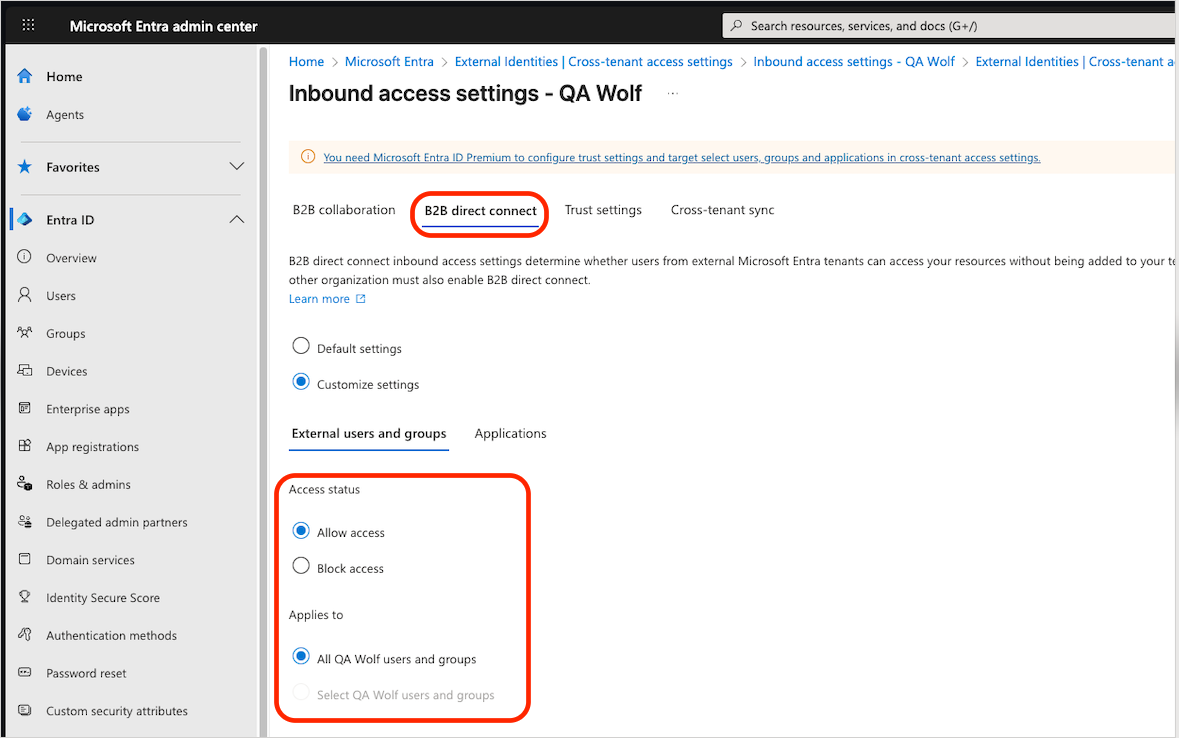
Click the B2B direct connect tab.
3
Select the Customize settings radio button.
- For Access status, select Allow access
- For Applies to, select All QA Wolf users and groups
Shared channel collaboration will not work if the default settings continue to block external tenants.
Complete setup
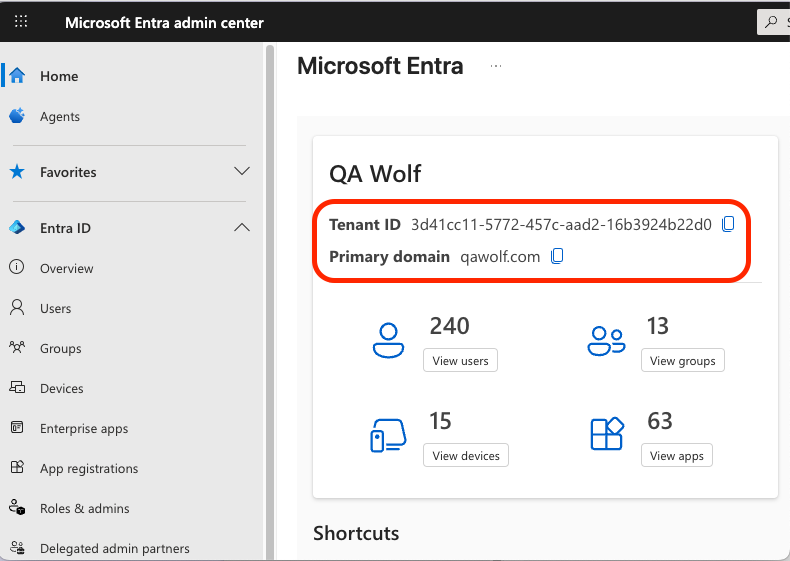
We need your Microsoft Entra tenant ID and domain name so we can configure cross-tenant access on our side. Customers can locate their Tenant ID and domain on the Microsoft Entra dashboard.