

Create a schedule
1
In the Runs tab, choose the environment for your scheduled run from the list on the left.
2
Click Scheduled, then Schedule a run on the right.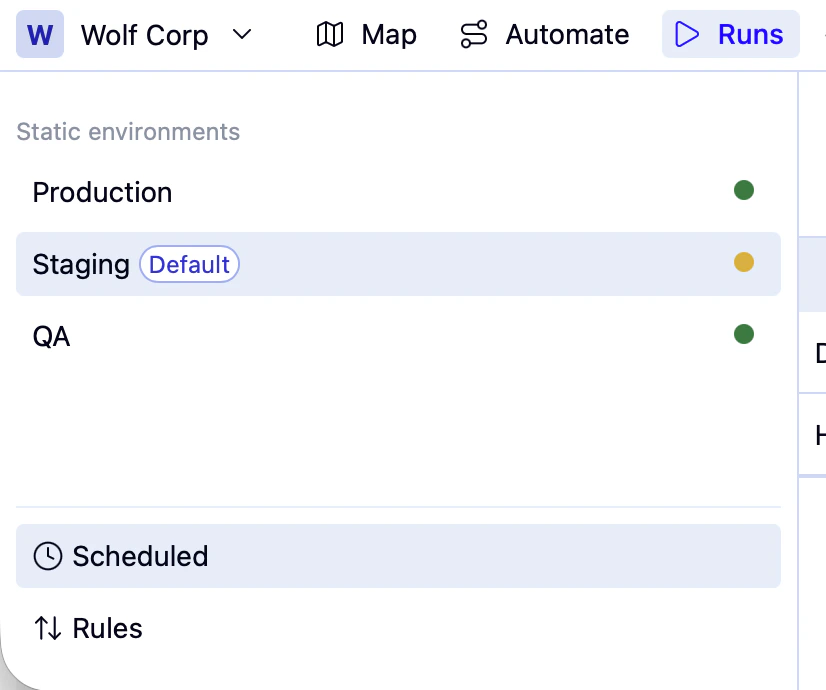
3
A drawer opens where you can configure your schedule: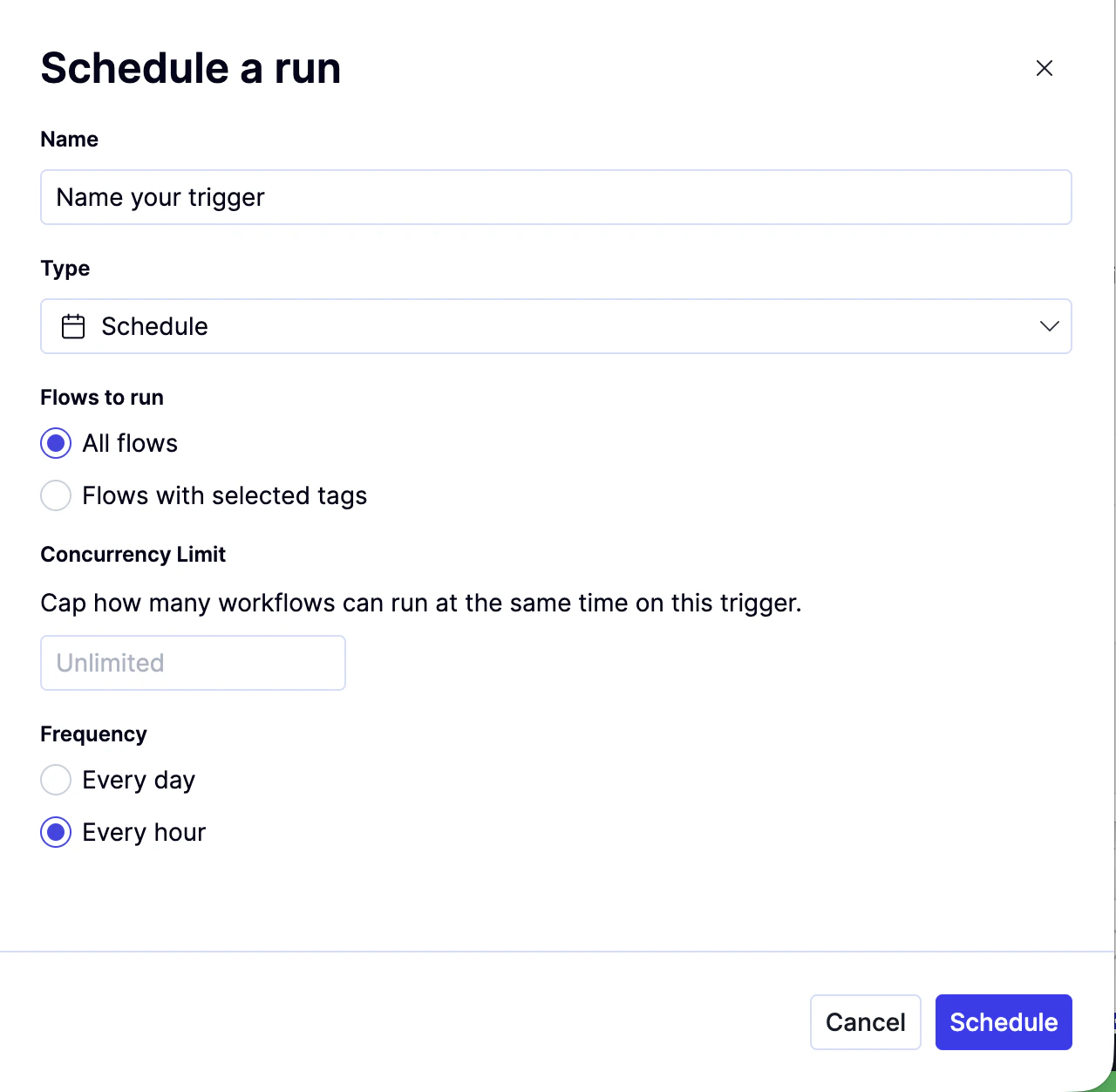
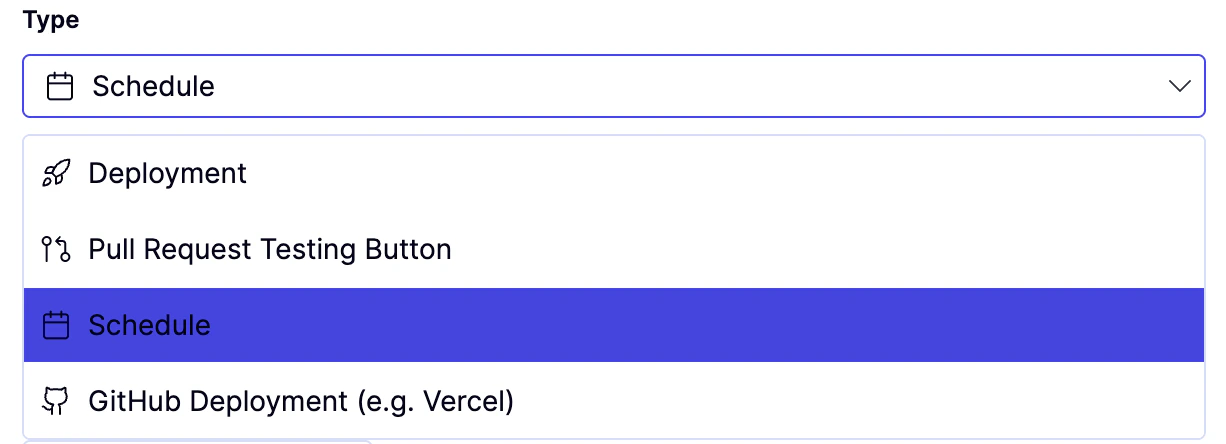
The other three options require setup from QA Wolf:
- Deployment — triggers a run from a VCS deployment hook
- Pull Request Testing Button — triggers a run from a custom button in your VCS
- GitHub Deployment — available for teams using GitHub-based deployments
Once you’ve set up schedules for an environment, runs will appear in the Scheduled tab as soon as they are started.
Manage schedules
See all schedules
1
Open the Runs tab and click Scheduled from the lower left.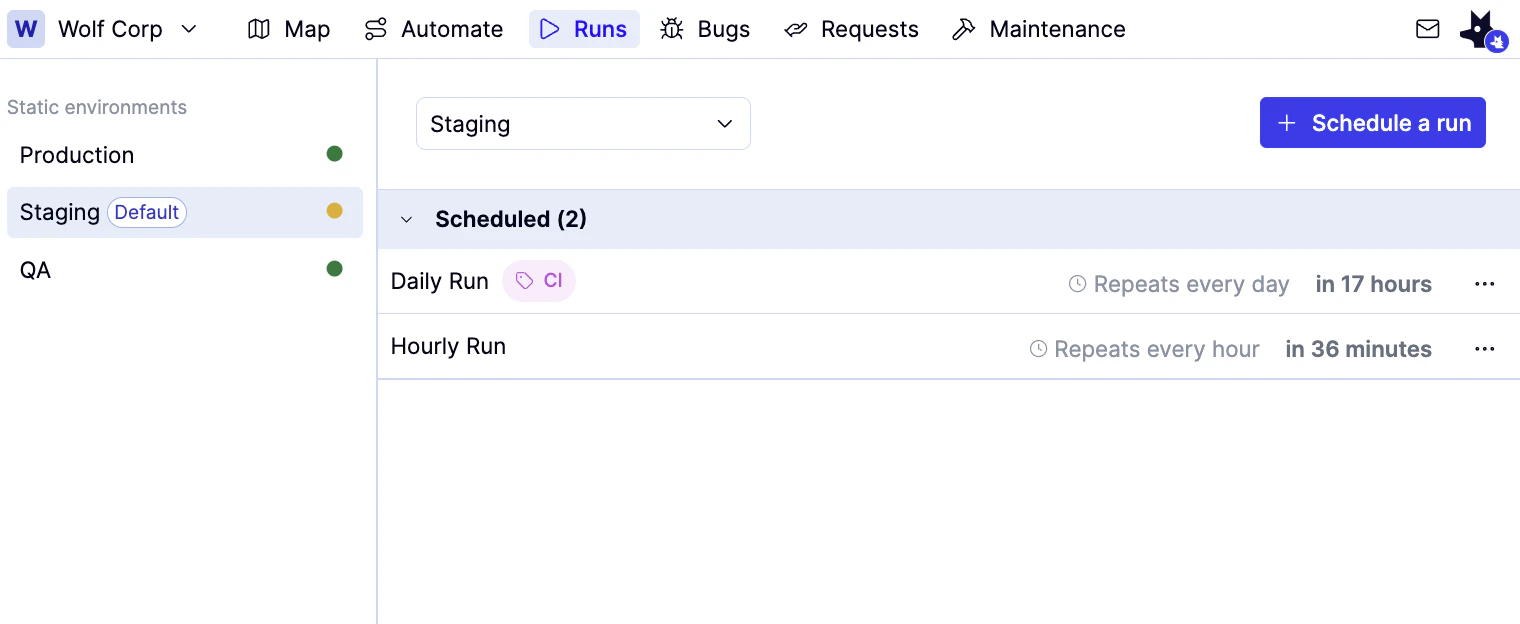
Pause a schedule
1
Click the icon to the right of the schedule, then click Pause. Paused schedules appear in gray text with a status of Paused.
Edit a schedule
1
Click the icon to the right of the schedule, then click Edit. A drawer opens where you can edit your schedule.