> ## Documentation Index
> Fetch the complete documentation index at: https://docs.qawolf.com/llms.txt
> Use this file to discover all available pages before exploring further.
# Automate flows using AI
> Use Automation AI to create, edit, and debug flows from plain-language or voice instructions.
Automation AI lets you create, edit, and debug flows by describing what you want in plain language or by speaking your instructions. You don't need to know the flow syntax to get started — the AI writes and updates the code for you.
If you'd prefer to write flows manually, see [Create a new flow](/qawolf/Create-a-new-flow-2c15b2a994fb802193a5c05e0219eb59).
## Create a flow
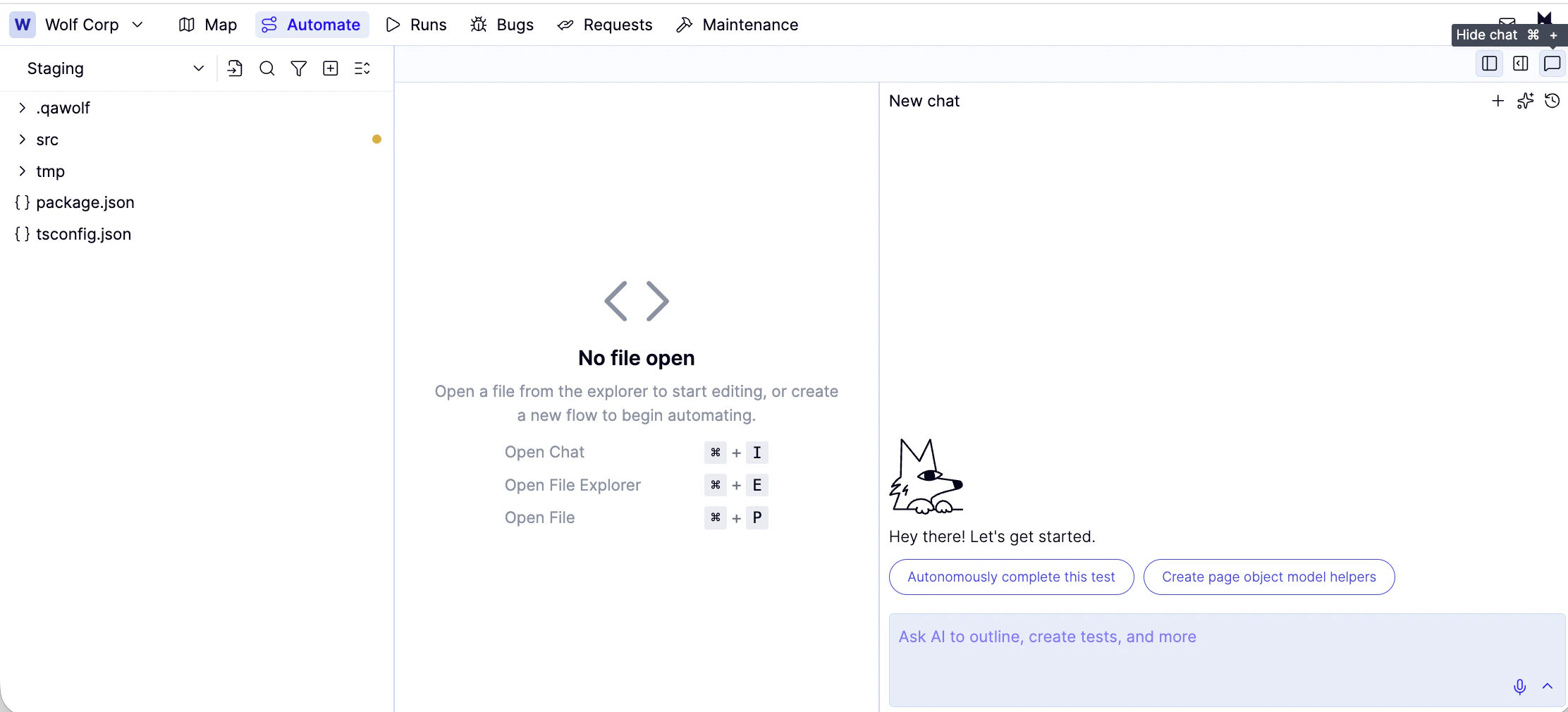
From the **Automate** tab, open the AI chat panel on the right side of the screen.
 ### Type a description
Type a plain-language description of what you want the flow to do into the chat box and hit enter. For example: *"Log in with a valid email and password and assert that the dashboard loads."*
### Speak a description
Click the icon and speak your instructions.
Automation AI will create the required groups and flows if they don't already exist.
## What happens next
Automation AI generates the flow code and opens it in the editor. From here you can:
* **Run it immediately** using the **Run** button to see it execute in the browser panel
* **Review the code** if you want to understand or manually adjust what was generated
* **Ask the AI to change it** by typing a follow-up instruction in the chat panel
## Complete flows automatically
Select **Autonomously complete this test** to have the AI generate Playwright code for the flow automatically. While it runs, you can multitask in other flow tabs.
## Debug a failing flow
When a flow fails, click **Fix with AI** in the banner at the top of the editor. Describe the problem or let the AI interpret the error automatically.
For manual debugging, see [Debug tests & flows](/qawolf/Debug-tests-and-flows-2c15b2a994fb805c9e92eec7a4a3e83e).
## Import a third-party library
In the AI chat panel, ask Automation AI to import the package you need. It will handle the entire process automatically.
### Type a description
Type a plain-language description of what you want the flow to do into the chat box and hit enter. For example: *"Log in with a valid email and password and assert that the dashboard loads."*
### Speak a description
Click the icon and speak your instructions.
Automation AI will create the required groups and flows if they don't already exist.
## What happens next
Automation AI generates the flow code and opens it in the editor. From here you can:
* **Run it immediately** using the **Run** button to see it execute in the browser panel
* **Review the code** if you want to understand or manually adjust what was generated
* **Ask the AI to change it** by typing a follow-up instruction in the chat panel
## Complete flows automatically
Select **Autonomously complete this test** to have the AI generate Playwright code for the flow automatically. While it runs, you can multitask in other flow tabs.
## Debug a failing flow
When a flow fails, click **Fix with AI** in the banner at the top of the editor. Describe the problem or let the AI interpret the error automatically.
For manual debugging, see [Debug tests & flows](/qawolf/Debug-tests-and-flows-2c15b2a994fb805c9e92eec7a4a3e83e).
## Import a third-party library
In the AI chat panel, ask Automation AI to import the package you need. It will handle the entire process automatically.